










Cloud Integration Services

Cloud Integration Platform:

Deliver Uninterrupted Automation

Align your sales, finance and inventory teams with automated data flow to break down silos and free up time for core activities that drive your business forward

Top Integrations

Salesforce and QuickBooks Online Integration
Salesforce and QuickBooks Desktop Integration
d365-quickbooks-icon
MS Dynamics 365 CRM and QuickBooks Online Integration
salesforce-sqlserver-icon
Salesforce and SQL Server Integration
salesforce-mysql-icon
Salesforce and MySQL Integration
d365-postgresql-icon
Salesforce and PostgreSQL Integration
shopify-salesforce-integration
Shopify and Salesforce Integration
woocommerce-quickbooks
WooCommerce and QuickBooks Online Integration
shipstation-netsuite
ShipStation and NetSuite Integration
ft-database-integration
SFTP and Database Integration
file-cav-database-integration
File (CSV, XML) and Database Integration
Salesforce and FTP/S Integration
skuvault-quickbooks
SkuVault and QuickBooks Online Integration
skuvault-quickbooks
SkuVault and QuickBooks Desktop Integration
salesforce-skuvault
Salesforce and QuickBooks Online Integration

By 2025, 70% of organizations will adopt data integration and workflow automation to support their digital transformation initiatives.

Gartner

Leading the Way with G2 Recognition

Cloud Workflow Impact

Up to 30% Reduction in Cycle Time

With seamless data integration, ensuring real-time availability of crucial sales data and analytics.

Up to 25% Higher Cash Flows

Automating invoicing and payments processes, thereby improving cash flow.

2500+ Hours Time Saved Annually

No more tedious hours spent on manual data entry, error rectifications, and data reconciliations

Setup Wizard

Easy Automation for All

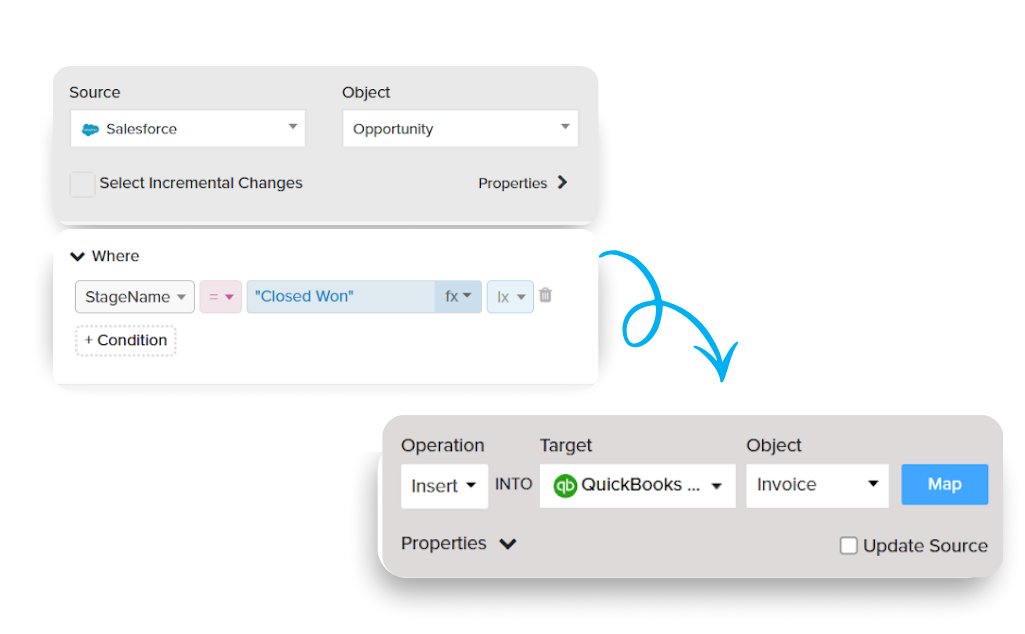
Building automation is now a breeze with our intuitive, Q&A-based forms. This approach simplifies configuration, making it straightforward for those with minimal technical expertise to easily build integrations.

  • Instant Setup: Just Connect, Run, and Go
  • No-code Automation for everyone
  • Preview for Customers and Automation Builders
cloudworkflow-setup-wizard
Pre-Built templates

Quick-Start Templates

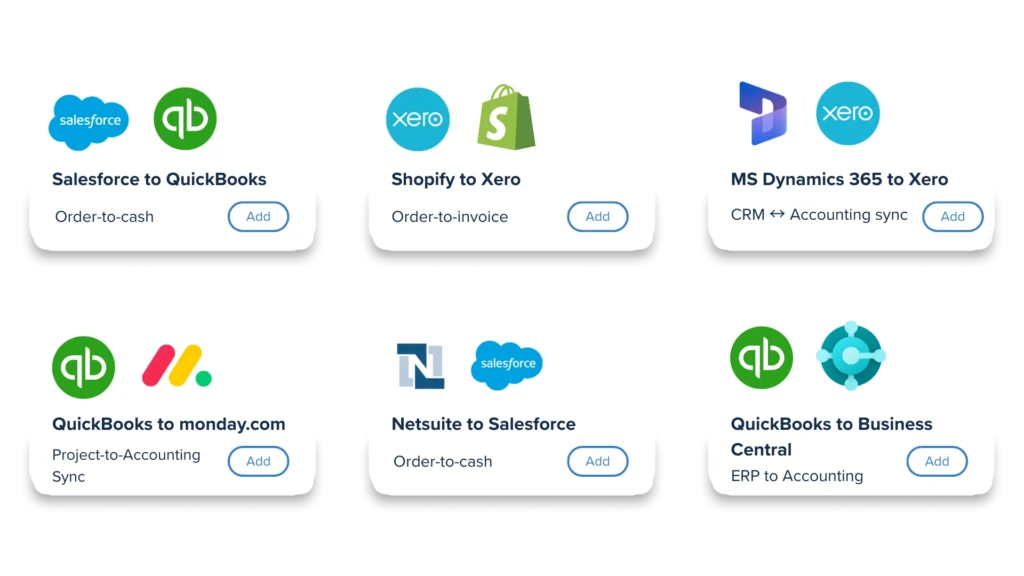
Jumpstart your operations with our pre-configured templates. These are available for various apps, including CRM, Accounting, ERP, and even specialized sectors like Healthcare, ensuring a quick and efficient integration process.

  • Faster time to value with Automations
  • Preferred Business Apps Supported
  • Solutions: Healthcare,Legal and more
Workflow

Intuitive Visual
Automation Builder

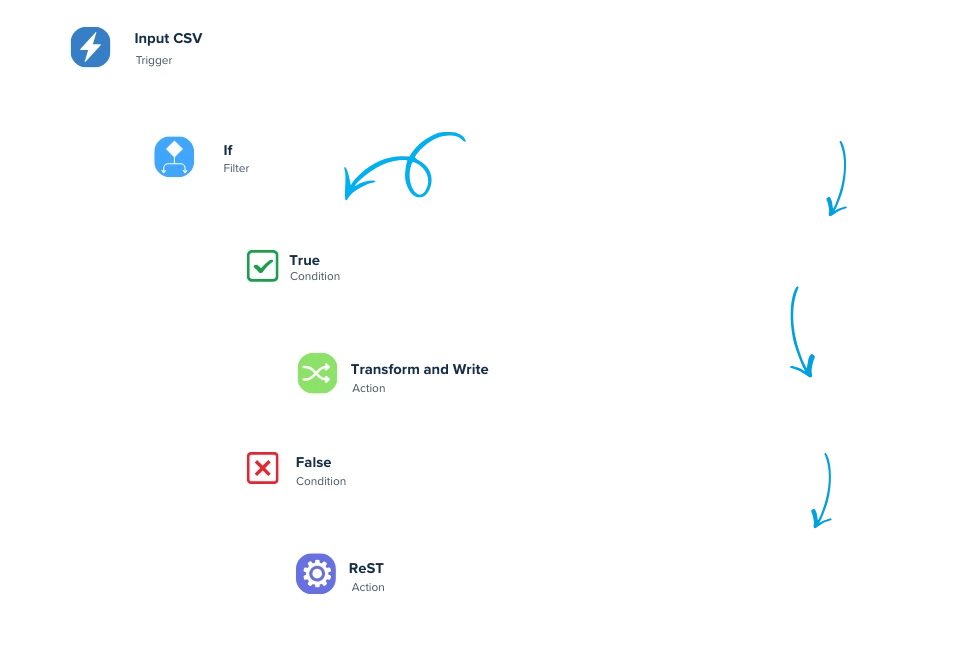
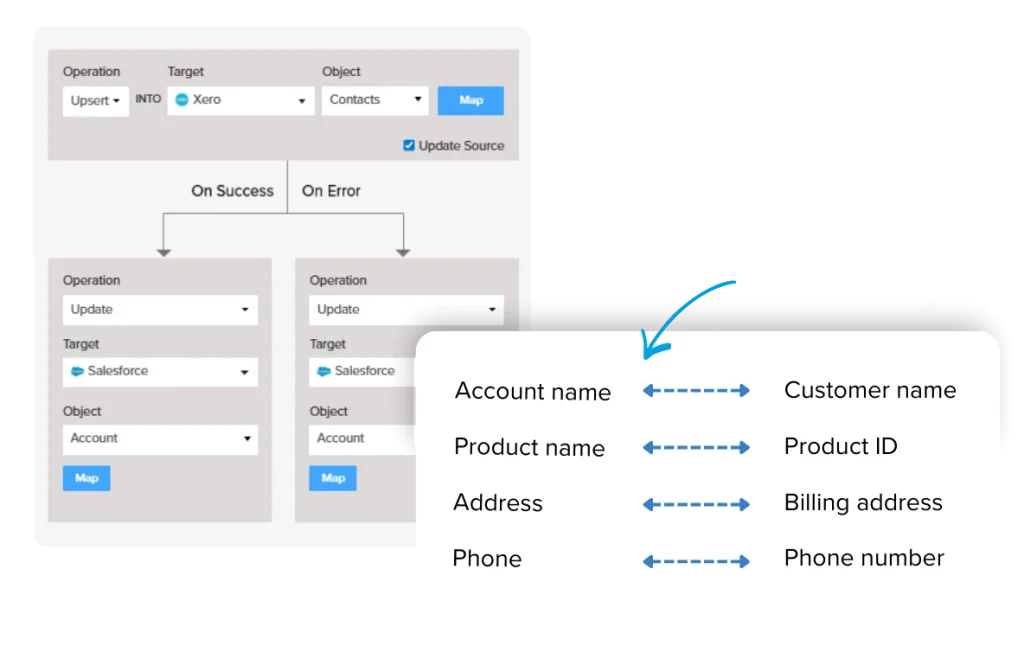
Design complex workflows with a no-code drag and drop based interface. Our platform supports conditional logic to join and split data effortlessly, allowing you to manage complex processes without complications.

  • Intuitive and Familiar: Easy-to-Use Visual Interface
  • Team Collaboration in Workflow Creation
  • Tailored Customization for Your Business Needs
Webhooks-events

Easily Connect to Preferred Systems

Automate without the need for custom development . Our platform supports API integrations and real-time updates via Webhooks, ensuring your systems are always in sync.

  • No Custom Development Needed
  • Real-Time Sync with Webhooks
  • Support for API Integrations
REPLICATION ACTION

Move Your App Data Into Databases Effortlessly

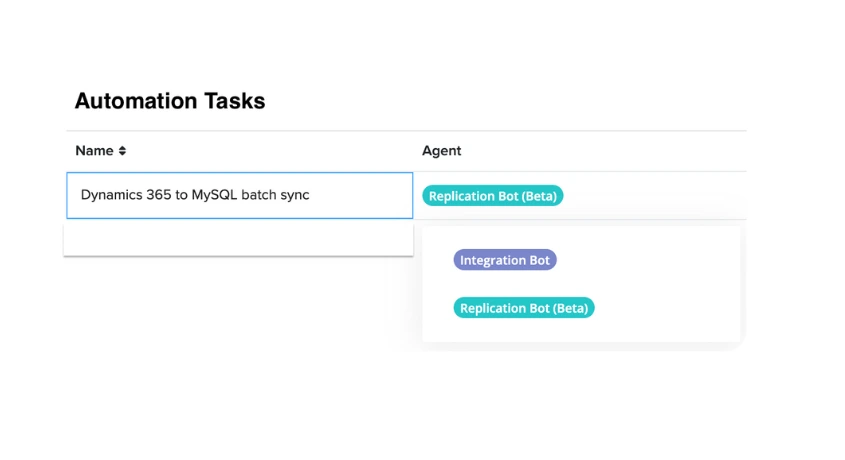
With Replication Action in Cloud Workflow, you can move data into databases and warehouses for compliance, or archival without having to write custom scripts or separate tooling

  • No-Code Event-driven Data Replication
  • Automated Batch & Incremental Syncs
  • On-Demand Database Sync
  • Supports Popular SaaS Apps and Databases
automation tasks
Customer Testimonials

Discover what our clients are saying

“TecMan has used a number of middleware tools over the years with our customers within the world of SaaS. We wanted a tool our customers could utilize without additional platform fees. As a hosted service, DBSync offers connectors to multiple apps, which has enabled our customers to create integrated solutions between eCommerce, ERP and CRM solutions.”

Jason Tromans Head CRM, Tecman
Jason-client-testimonial

“What really shines through is the ease of use of the product, which made our journey from the get-go a breeze. Additionally, the support team demonstrated an exceptional level of responsiveness and patience throughout the process, during the initial setup of integrations for NetSuite.“

Trisha Buyer Senior VP Finance & Salesforce Admin, PhocusWright
Trisha Buyer

Seamless Integration, Powerful Capabilities

Case Studies

Inada USA

Inada saw massive data accuracy and productivity improvements with CRM and Accounting integration.

Litify

Integrating Quickbooks led to significant cost savings and helped Litify acquire 50 new clients in a year.

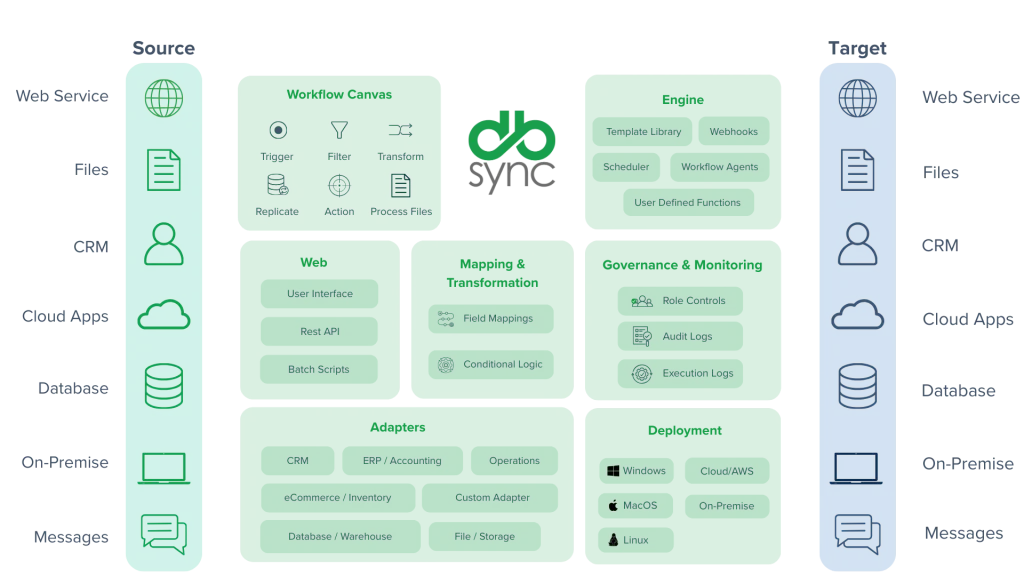
Architecture

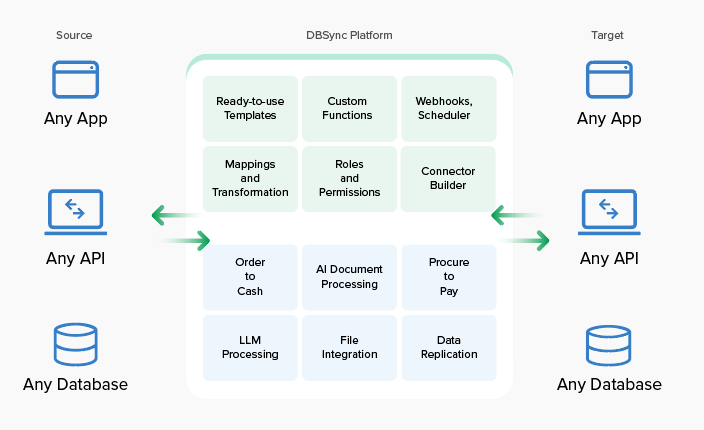
Cloud Workflow Architecture

FAQs

1. What differentiates DBSync from its competitors in the integration space?

DBSync is an on-demand iPaaS solution that seamlessly connects SaaS, cloud, and on-premise applications, without complex software or hardware. We continuously expand our robust connector list to meet diverse client needs, backed by dedicated in-house delivery and support teams. Check out client feedback on Salesforce AppExchange.

2. Do you support custom integrations?

Yes, we support custom Integration. For, custom Integration the user has to purchase a license to avoid consultation charges.

3. Do you store any data?

No, we do not store any data. We Integrate data from one application to another.

4. How will I find the solution to my business needs?

Browse through DBSync’s extensive wiki documentation. If that does not meet your needs then, submit a ticket from the support portal.

5. What editions of Salesforce does DBSync support?

DBSync supports almost all major versions of Salesforce: Salesforce Unlimited Edition, Professional Edition, Enterprise Edition and Non-Profit Edition

6. Does this connector support two-way integration?

Yes, and you also have the flexibility to make it one way or two way directional if you choose.

7. Can we customize the integration?

Yes, DBSync is completely flexible and you can customize the mappings or our onboarding team will connect to get your business requirements to customize the integration and provide a tailored solution.

8. Is there an additional cost for adding users for integration?

No, it will be covered under one license itself connecting with 1 Salesforce instance to 1 QuickBooks organization.

9. How frequently can you have the scheduler run?

DBSync recommends a 15 min interval between each sync. Based on the integration setup we can modify the same.

10. How long will the process take to set-up the trial install?

For trial install, it will take less than an hour to complete the setup and if you have an option to choose to customize the basic template from DBSync on-boarding team.
Schedule A Demo

Want to See Automation in Action?

Take a sneak peek into the world of automated workflows. Book a demo to see how our solutions can redefine your business.